- Video Splitters & Combiners Deals
- sku: 1039921412622792
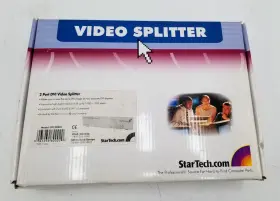
- STARTECH ST122DVI
ST122DVI STARTECH Port Dvi Video Splitter Audio
| Brand | STARTECH |
|---|---|
| Manufacturer Part Number | ST122DVI |
| Type | VIDEO/AUDIO SPLITTER |
| Audio/video Outputs | DVI |
Review STARTECH Port Dvi Video Splitter Audio
The StarTech.com ST122DVI DVI Video Splitter with Audio is a versatile and practical solution for sharing a single DVI video source to two displays, while also transmitting high-quality stereo audio to both screens. This splitter is an excellent choice for enhancing productivity, improving multitasking capabilities, or creating an immersive multi-display setup for personal use or in a professional environment.
The ST122DVI features two DVI-I input ports that can accept signals from various DVI sources, including computers, Blu-ray players, or gaming consoles. Each input port is capable of supporting resolutions up to 1920x1200 pixels, ensuring crisp and clear visuals on both connected displays. With the ability to transmit audio signals over DVI, this splitter allows users to enjoy synchronized audio playback on both monitors.
The design of the ST122DVI is compact and sleek, making it an ideal choice for desktop setups where space is at a premium. Its plug-and-play functionality allows for easy installation, requiring no additional power source or external drivers. The splitter's robust construction ensures reliable performance and long-term durability.
This DVI video splitter also includes an integrated DVI-D to VGA adapter on one of the output ports, offering flexibility for users who need to connect a VGA display alongside a DVI monitor. This adapter supports resolutions up to 1920x1440 pixels when connected to a VGA display, and also transmits audio signals.
In summary, the StarTech.com ST122DVI DVI Video Splitter with Audio is a user-friendly and versatile solution for expanding your display setup while maintaining high-quality audio output. It offers seamless connectivity, easy installation, and the flexibility to accommodate various display types, making it an indispensable tool for both personal and professional use.
The StarTech.com ST122DVI DVI Video Splitter with Audio is a device designed to split a single DVI input into two separate outputs, while also transmitting audio to both connected displays. Let's examine the potential advantages and disadvantages of using this splitter.
Advantages:1. Cost-effective: The ST122DVI is an affordable solution for those who need to connect two displays to a single computer and require audio output on both.
2. Easy to use: This device is plug-and-play, meaning no additional software or drivers are required for most computers.
3. Supports high resolutions: It can support resolutions up to 1920x1200 for each display, making it suitable for users with high-resolution displays.
4. Audio transmission: The splitter transmits audio to both connected displays, ensuring that users can enjoy audio from their computer on both monitors.
5. Maintains video quality: The device maintains the video quality of the original signal, ensuring that the displays continue to display images as intended.
Disadvantages:1. Limited compatibility: The ST122DVI may not be compatible with all computer systems or displays. It is recommended to check the specifications of your computer and displays before purchasing.
2. Potential for signal loss: If the cables connecting the splitter to the displays are too long or of poor quality, there is a risk of signal loss, which could result in a loss of video or audio quality.
3. Limited length: The device comes with a relatively short cable length, so users may need to purchase additional cables if their displays are not situated close to their computer.
Ending Conclusion:The StarTech.com ST122DVI DVI Video Splitter with Audio is a cost-effective and easy-to-use solution for users who require multiple displays and audio output on both. It supports high resolutions and maintains video quality. However, it may have limited compatibility, and there is a risk of signal loss if the cables are of poor quality or too long.
Recommendation:If you require a DVI video splitter with audio output for two displays, the StarTech.com ST122DVI could be a suitable option. It offers good value for money and is easy to use. However, it's essential to ensure that your computer and displays are compatible before making a purchase, and you may need to invest in additional cables if the ones provided are too short.
Details:
Any other parts/power adapters or accessories that are not shown in the pictures included. Fair - medium scratches, scuffing or denting; damaged missing small plastic trim panels. Excellent - minor surface blemishes that can be seen, but not felt. Good - small scratches, minor scuffing.
As-is - major scratches, dents, discoloration or cracks; broken off missing panels.
specifications vidcomb:
- brand: Startech
- mpn: St122dvi
- type: Video/audio Splitter
- audio/video outputs: Dvi
returns vidcomb:
- policy: returns accepted
- time: 30 days
- paid by: seller
- method: money back
payments vidcomb:
- credit card: diners-club
- wallet: paypal
- other
general vidcomb:
- category: Electronics > Home > Tv, Video Audio Accessories > Splitters Combiners
offer vidcomb:
- options: ship-to-home
- started: april 17, 2025
- prices: $19.98–$59.99
- item condition:
- Used
- Open box
- New
- best offers: true
- sold #: 21
- in stock #: 5
- availability: in stock
shipping vidcomb:
- carrier: fedex
- service: fedex ground or fedex home delivery
- transit: 4-7 days
- type: fixed
- class: standard
seller vidcomb:
- # reviews: 3011
- city: santa ana, california
- rating: 99.6%
Similar Items:
- Startech St124l Vga 4 Port Video Splitter 1 To Used Comes with power charger/cord. This item is in good working condition, tested. Startech ST124L VGA 4 port video splitter 1 input to output...(January 25th, 2024)
- Startech St122utpa Vga Video To Audio Extender Local Unit With Mini Gender Changer This extender is perfect for those in need of a splitter and combiner their TV, video, audio accessories. The unit quantity is 1 and the type lb. It has a circular prime focus and oval offset feature, making it easy to use.the extender is made by Startech in the USA comes with an RJ-45 audio/video ...(January 26th, 2024)
- Startech D6f3e1d6p73 St124pro 4 Port High Resolution Vga Video Splitter Supports resolutions up to 2048X1536 80HZ. Quick and easy solution to split a video signal in an auditorium or house of worship. Create engaging multimedia presentations for demonstration in lecture halls and classrooms. Use for in-store product merchandising in retail environments to give your ...(February 12th, 2024)
- Startech St124dvi Dvi Video Splitter 4 Port This unit is not tested, but in visually good condition with no indication of external damage. Dvi splitter removed from old video conferencing system. The unit requires a 7.5V power supply, note that is not included was with the cabinet this came from...(March 15th, 2024)
- Startech St222mxa Startech.com 2x2 Vga Matrix Video Switch Splitter St222m Rubber feet have come lose, but they are just stick on. In working condition. I will guarantee against DOA, feel free to message me with any questions or problems 2X2 VGA matrix. 2X2 VGA matrix, comes with compatible power supply...(April 14th, 2024)
- Startech St124hd4k Hdmi 4-way Splitter One Port Broken Some abrasions and scratches on case. Only items in pics included. All other ports tested and working. Port 2 indicates a connection, but no display. See all photos and accept any imperfections before purchase...(September 4th, 2024)
- Startech St122hd4k 2-port Hdmi Audio Video Splitter 4k Calculated shipping with FedEx: standard shipping estimates are calculated using FedEx ground service to a commercial address. Shipping and handling. May have minor cosmetic wear and tear. Comes with a 30-DAY DOA warranty. Box has some minor scuffs, dents, and discoloration. Item comes from a used ...(October 28th, 2024)
- Startech St122le 2 Port Vga Video Splitter 300 E2-2 Please know what you're buying on beforehand. Ready for use.new open box, new, sealed package. Lots of great deals updated daily. VC-11/12/24-ORANGE10-RP, hurl. Startech ST122LE 2 port VGA video splitter 300. No combined shipping for offers because we start them ascents...(November 12th, 2024)
- Startech St122hdmi2 Startech.com 2 Port Hdmi Video Splitter And Signal Amplifier 1 X Digital Opened items must be in re-sellable condition including original packaging and all accessories. Package CONTENTS:2 port HDMI video splitter and signal amplifier.: this item is brand-new, factory sealed. Split an HDMI audio and video signal to two displays simultaneously. Tara compliant: yes. Package...(December 22nd, 2024)
- Startech St124hd20 4-port Hdmi 4k Video Splitter 3 Splitters excellent Cond Use HDMI 4 port splitter, in excellent condition. Used for an HDMI network, no longer needed...(March 13th, 2025)
- Startech Vid2vgatv Video To Vga hdtv Scaler video Converter For Pc Or Hdtv New There are times when a display is used only to show the item being sold functional and working properly. Unit only, can be used as a replacement. Includes a memory recall feature that automatically reinstates the last setting used. Specifications: convert video signals into VGA/HDTV output for ...(April 4th, 2025)
